Call on students without playing favorites.
Cold-calling works best when everyone believes the pick is random. Put the wheel on the projector, spin it, and let the class watch the choice happen. No clipboard, no favorites, no 'you always pick her'.
Names you type stay in your browser unless you choose to save them to an account, which matters when the names belong to students. The picker is free and works on any screen in the room.
It runs on whatever is already in the room, a projector, a Chromebook, the board's display, with no install and no account. The whole thing is built so a teacher can use it on day one without sending a single student name anywhere.
Start picking →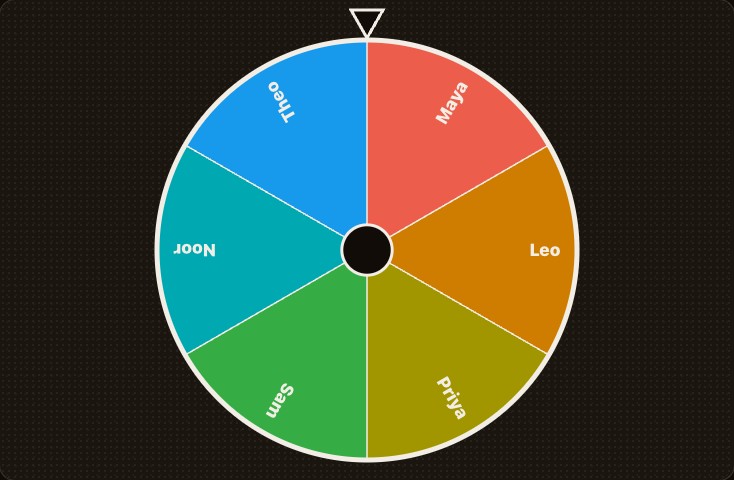
How it works
-
1
Paste your roster
Bulk add takes the whole class at once.
-
2
Spin on the projector
The wheel makes the pick a moment, not a verdict.
-
3
Remove or repeat
Take a picked student off the wheel, or leave everyone in. Your rules.
Why random cold-calling works
When hands go up, the same four students answer everything and the rest quietly check out. A visible random pick changes the deal: anyone might be next, so everyone stays in. Researchers who study classroom equity call it distributing voice, and it is one of the cheapest ways to lift participation across a whole class instead of the confident few.
Pair it with a few seconds of think time before you spin, so a called student has something ready. The wheel is doing the cold-calling, which also takes the social sting out of it: the class is mad at the wheel, not at you.
Student names stay yours
Names you type live in your browser's local storage and never reach our server unless you deliberately save or share a draw. There is no account requirement, no roster upload, and no record of who got called. If your school is strict about student data, use first names or initials and lose nothing.
Our privacy policy spells this out in plain language rather than legalese, because 'where do the names go' is a fair question to ask before you type a class list into a website.
Routines that fit the wheel
Beyond cold-calling: pick the order for presentations, draw partners for think-pair-share, assign classroom jobs, choose who reads next, or run an exit-ticket lottery. For group work, spin repeatedly and remove each name to deal students into balanced teams.
Saved class lists, one per period, mean tomorrow's spin is two taps instead of retyping thirty names. Each spin still pulls fresh randomness, so 'the wheel likes Maya' never becomes a real complaint.
Questions
What happens to student names?
They live in your browser's local storage and are only sent to our server if you save or share a draw. Details are in our privacy policy, in plain language.
Can I reuse my class lists?
Yes. A free account adds saved groups, one per class, so tomorrow's spin is two taps.
Does it avoid repeating students?
Each spin is independent, so remove a student from the list after their turn if you want everyone called once.
Is it free for teachers?
Yes. The picker is free with no account, no trial, and no per-student cost. Saved rosters come with a free account if you want them.
Does it work on a school network or Chromebook?
The pick runs in the browser, so it works on a locked-down Chromebook or a flaky connection. You only need internet to load the page and, optionally, to save a roster.
Can I make fair groups with it?
Yes. Spin, remove the picked name, repeat, and deal students into teams in turn. It is faster and harder to argue with than picking captains.